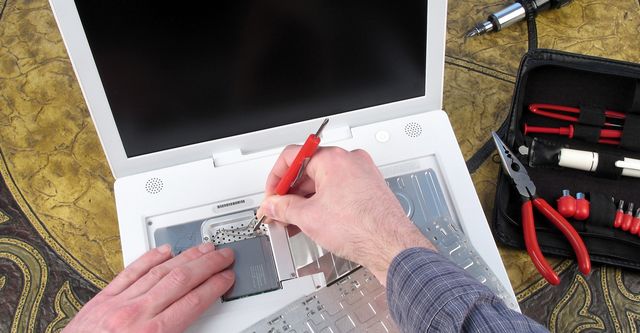
Computers: A Complete Guide to How They Work, Types, Components, and Everyday Uses
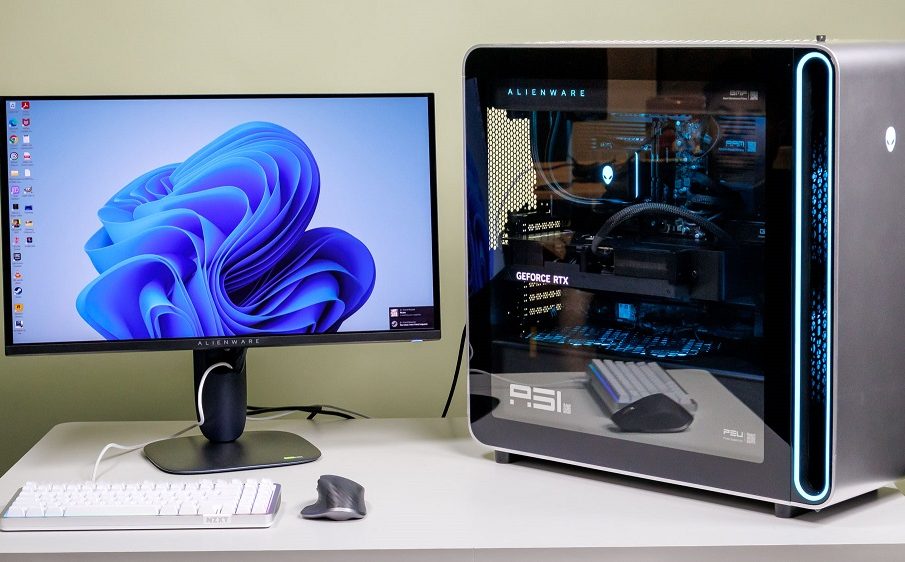
Introduction to Computers
A computer is one of the most important inventions of the modern world. It helps people perform tasks faster, store large amounts of information, communicate globally, and automate complex operations across industries. From education and business to entertainment and healthcare, computers support nearly every aspect of daily life.
At its core, a computer is an electronic device that processes data according to instructions called programs. It accepts input, processes information, stores data, and produces output in meaningful forms. Modern computers are powerful, compact, and widely accessible, making them essential tools for productivity and innovation.
Understanding how computers work and how they are used helps individuals develop digital literacy and prepare for future technological environments.
A Brief History of Computers
The development of computers happened gradually over many decades. Early machines were mechanical calculators designed to assist with arithmetic operations. Over time, they evolved into sophisticated electronic systems capable of performing billions of operations per second.
Key milestones include:
- The invention of the abacus as an early counting tool
- Mechanical calculating devices in the 17th century
- The first programmable computers in the 19th century
- Vacuum tube-based computers in the 1940s
- Transistor-based computers in the 1950s
- Integrated circuit technology in the 1960s
- Personal computers becoming common in the 1980s
- Modern portable and cloud-connected devices in the 21st century
Each generation improved speed, efficiency, reliability, and accessibility.
How Computers Work
Computers follow a structured process known as the input-process-output cycle.
Input
Input refers to the data entered into a computer through devices such as:
- Keyboard
- Mouse
- Scanner
- Microphone
- Touchscreen
These devices allow users to communicate instructions and information to the computer system.
Processing
Processing is performed by the central processing unit, often called the CPU. It interprets instructions and executes operations such as calculations, comparisons, and decision-making steps.
Output
Output devices present processed information in useful forms. Common output devices include:
- Monitor
- Printer
- Speakers
- Projector
The results of processing become visible or audible through these devices.
Storage
Computers store information either temporarily or permanently.
Temporary storage includes RAM, which holds active data during operation. Permanent storage includes hard drives and solid-state drives that retain data even when the computer is turned off.
Main Components of a Computer System
A computer system consists of several essential hardware components working together.
Central Processing Unit
The CPU acts as the brain of the computer. It performs calculations, controls instructions, and manages communication between system components.
Its performance directly affects how fast a computer operates.
Memory
Memory stores instructions and data currently in use.
Types include:
- RAM for temporary storage
- Cache memory for faster processing access
- ROM for permanent system instructions
More memory generally improves system responsiveness.
Storage Devices
Storage devices retain data permanently.
Examples include:
- Hard disk drives
- Solid-state drives
- External storage devices
- Cloud storage platforms
Reliable storage ensures information remains accessible when needed.
Input Devices
Input devices allow users to interact with computers efficiently.
Examples include:
- Keyboard
- Mouse
- Touchscreen
- Scanner
- Webcam
These devices convert physical actions into digital instructions.
Output Devices
Output devices communicate processed results to users.
Examples include:
- Monitor
- Printer
- Headphones
- Speakers
Clear output improves usability and productivity.
Types of Computers
Computers come in different forms depending on their purpose and performance level.
Supercomputers
Supercomputers perform extremely complex calculations at very high speeds. They are used for:
- Weather forecasting
- Scientific research
- Space exploration
- Climate modeling
These machines handle massive datasets efficiently.
Mainframe Computers
Mainframe computers support large organizations that require high-volume data processing.
They are commonly used in:
- Banking systems
- Government institutions
- Airline reservation systems
- Insurance companies
Mainframes manage thousands of users simultaneously.
Personal Computers
Personal computers are designed for individual use.
Examples include:
- Desktop computers
- Laptops
- Tablets
They support everyday activities such as browsing the internet, preparing documents, and watching media content.
Embedded Computers
Embedded computers operate inside other machines.
They are found in:
- Washing machines
- Automobiles
- Medical equipment
- Smart home devices
These systems perform specialized tasks automatically.
Software and Its Importance
Software gives instructions that tell computers how to function. Without software, hardware cannot perform useful tasks.
Software is divided into two main categories.
System Software
System software controls hardware operations and provides a platform for applications.
Examples include:
- Operating systems
- Device drivers
- Utility programs
Operating systems manage memory, files, and system resources.
Application Software
Application software helps users perform specific tasks.
Examples include:
- Word processing software
- Spreadsheet tools
- Graphic design applications
- Web browsers
These programs improve efficiency across many professional fields.
Uses of Computers in Daily Life
Computers support almost every modern activity. Their versatility makes them valuable across multiple environments.
Education
Computers enhance learning experiences through:
- Online classes
- Digital textbooks
- Research tools
- Interactive learning platforms
Students gain access to global knowledge instantly.
Business
Organizations rely heavily on computers for operations such as:
- Data management
- Financial analysis
- Communication
- Marketing
Efficient computing improves productivity and accuracy.
Healthcare
Computers assist medical professionals with:
- Patient records
- Diagnostic imaging
- Telemedicine
- Research analysis
Technology improves treatment quality and speed.
Communication
Computers enable instant communication through:
- Video conferencing
- Messaging platforms
- Social networking
People can collaborate across continents easily.
Entertainment
Entertainment industries depend on computers for:
- Gaming
- Streaming services
- Music production
- Video editing
Digital creativity continues expanding rapidly.
Advantages of Computers
Computers offer numerous benefits that improve efficiency and convenience.
Major advantages include:
- Fast processing speed
- Accurate calculations
- Large storage capacity
- Automation of repetitive tasks
- Easy access to information
- Reliable communication tools
These advantages make computers essential for personal and professional environments.
Limitations of Computers
Despite their benefits, computers also have certain limitations.
Common limitations include:
- Dependence on electricity
- Security risks such as malware
- Data privacy concerns
- Requirement for maintenance
- Possibility of hardware failure
Understanding these limitations helps users operate systems responsibly.
The Future of Computers
The future of computing continues to evolve rapidly with advancements in artificial intelligence, cloud computing, and quantum technologies.
Emerging developments include:
- Faster processors
- Smarter automation systems
- Improved cybersecurity tools
- Advanced human-computer interaction
- Expansion of wearable computing devices
These innovations will shape industries and daily life in new ways.
Computers will continue transforming how people work, learn, and communicate across the globe.
Frequently Asked Questions
1. What is the difference between hardware and software
Hardware refers to physical components such as the CPU, keyboard, and monitor. Software includes programs and operating systems that instruct the hardware on how to operate.
2. Why is RAM important in a computer system
RAM temporarily stores active programs and data so the processor can access them quickly, improving system speed and performance.
3. What is the role of an operating system
An operating system manages hardware resources, runs applications, handles memory allocation, and enables interaction between users and the computer.
4. How do computers store information permanently
Computers store permanent data using storage devices such as solid-state drives, hard disk drives, and cloud storage services.
5. What makes a computer faster
Factors that influence speed include processor performance, available RAM, storage type, and system optimization.
6. Are laptops as powerful as desktop computers
Modern laptops can perform many advanced tasks, but desktops typically offer better performance upgrades and cooling for intensive workloads.
7. What skills are important for using computers effectively
Important skills include typing, file management, internet navigation, cybersecurity awareness, and familiarity with common productivity software.